🔄 Авто-синхронизация: из Discussion #875 каждые 6 часов.
Automatic Node Provisioning Tool exists
Автор: @SegovChik · Категория:  Proposals · Создано: 2026-03-10 17:41 UTC · Обновлено: 2026-03-10 17:41 UTC
📝 Описание
Gonka NOP: One-Command Validator Deployment CLI
Category: Proposals Labels: enhancement, tooling, infrastructure, devops
Demo
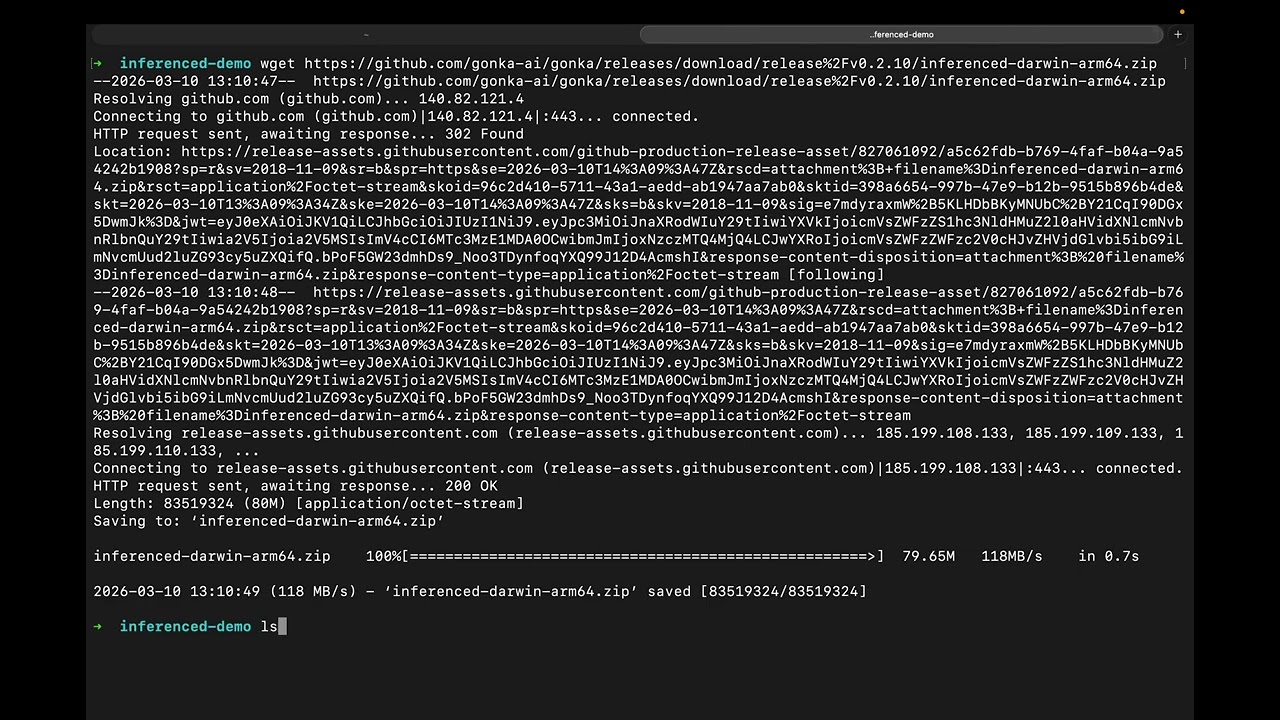
Repository: github.com/inc4/gonka-nop
Problem Statement
Deploying a Gonka validator today requires executing 50+ manual steps across GPU drivers, Docker configuration, key management, compose file editing, port security, and on-chain registration. Analysis of ~9,700 messages from the Gonka validator DevOps chat reveals that operators face compounding complexity at every stage:
Day-1 (Setup):
- Install and validate NVIDIA drivers, Container Toolkit, and Fabric Manager across different Linux distros
- Detect GPU architecture (sm_80–sm_120) and choose the correct MLNode image (standard vs Blackwell)
- Calculate optimal tensor-parallel size based on GPU count, VRAM, and model requirements
- Set gpu-memory-utilization correctly (0.99 causes OOM under load — 30+ chat mentions of miss rate from this)
- Fill 15+ environment variables in config.env, edit node-config.json, configure docker-compose.yml
- Bind internal ports to 127.0.0.1 (Docker bypasses UFW — port 5050 exposed = node hijacked)
- Configure DDoS protection, pruning, persistent peers, state sync
- Manage three separate keys (account, consensus, ML operational)
- Download 200+ GB model weights
- Register on-chain and grant ML permissions
Day-2 (Operations — 90% of operator time): - Monitor miss rate, sync lag, epoch participation, PoC weight - Perform safe MLNode updates (6-step process: check timeslots → disable → pull → recreate → wait model load → enable) - Fix stuck nodes after missed chain upgrades (download correct binaries, place in Cosmovisor dirs) - Manage ML nodes via Admin API (curl commands with JSON payloads) - Recover disk space from Cosmovisor backups
Each step has documented failure modes. Validators regularly break their nodes by setting gpu-memory-utilization too high, exposing internal ports, using wrong MLNode images for their GPU architecture, or botching the 6-step update process.
Solution: Gonka NOP
Gonka NOP is an open-source Go CLI that automates the entire validator lifecycle — from bare metal to producing PoC proofs — in a single command.
curl -fsSL https://github.com/inc4/gonka-nop/releases/latest/download/gonka-nop -o /usr/local/bin/gonka-nop
chmod +x /usr/local/bin/gonka-nop
gonka-nop setup
What It Automates
| Manual Step | Commands Required | With Gonka NOP |
|---|---|---|
| Install NVIDIA driver + toolkit + Fabric Manager | 8-12 | Auto-detect, auto-install with confirmation |
| Detect GPUs and choose TP/PP/model | 3-5 + lookup tables | Auto-detected, optimal config calculated |
| Generate node-config.json | Manual JSON editing | Generated from GPU detection |
| Fill config.env (15+ variables) | Manual editing | Interactive prompts with validation |
| Configure port security | Manual compose editing + iptables | 127.0.0.1 binding by default |
| Configure DDoS protection | Manual proxy env vars | Enabled by default |
| Configure pruning + peers | Manual config.toml editing | Auto-configured |
| Create keys | 3 separate commands | Guided workflow (quick or secure) |
| Download model (200+ GB) | Manual huggingface-cli | Integrated with resume support |
| Deploy containers | Multi-file compose with env sourcing | Single command with health monitoring |
| Register on-chain | 2 inferenced tx commands | Automated or guided instructions |
| Check node health | curl 5+ API endpoints | gonka-nop status (unified dashboard) |
| Update MLNode | 6-step manual process | gonka-nop update |
| Fix stuck node | Search GitHub, download binaries, place in dirs | gonka-nop repair |
Architecture
Gonka NOP is a single static binary (Go, zero runtime dependencies) with a phased setup wizard:
gonka-nop setup
│
├── Phase 1: Prerequisites
│   ├── Detect/install Docker
│   ├── Detect/install NVIDIA driver (with user confirmation)
│   ├── Install Container Toolkit + configure Docker runtime
│   ├── Install Fabric Manager (if NVLink detected)
│   ├── Verify CUDA inside Docker container
│   └── Check disk space (250GB minimum)
│
├── Phase 2: GPU Detection
│   ├── Parse nvidia-smi (count, VRAM, architecture, PCI bus)
│   ├── Detect NVLink topology
│   ├── Calculate optimal TP/PP for target model
│   ├── Recommend gpu-memory-utilization (0.88–0.94)
│   └── Select MLNode image (standard vs Blackwell)
│
├── Phase 3: Network Select
│   ├── Choose mainnet or testnet
│   └── Fetch latest image versions from GitHub (dynamic, not hardcoded)
│
├── Phase 4: Key Management
│   ├── Quick workflow: all keys on server (automated)
│   └── Secure workflow: cold key on separate machine (guided)
│
├── Phase 5: Configuration
│   ├── Generate config.env (all variables validated)
│   ├── Generate node-config.json (model, TP, VRAM settings)
│   ├── Generate docker-compose.yml (port security, DDoS defaults)
│   └── Generate docker-compose.mlnode.yml (GPU architecture-aware)
│
├── Phase 6: Deploy
│   ├── Pull container images
│   ├── Start network node, monitor blockchain sync
│   ├── Download model weights (200+ GB, resume-capable)
│   ├── Start ML node, wait for model load
│   └── Run health checks (11 checks via Admin API)
│
└── Phase 7: Registration
    ├── Register node on-chain (submit-new-participant)
    └── Grant ML permissions (grant-ml-ops-permissions)
Day-2 Operations
# Unified health dashboard
gonka-nop status
# Shows: block height, sync status, epoch, PoC weight, miss rate,
#        MLNode status, GPU utilization, security checks (11 total)

# Safe rolling update
gonka-nop update
# Checks timeslot allocation → disables ML node → pulls new image →
# updates compose → recreates → waits for model load → re-enables

# Fix stuck nodes after missed upgrades
gonka-nop repair
# Detects missing upgrade handler → parses on-chain upgrade-info.json →
# downloads correct binaries (SHA256 verified) → places in Cosmovisor dirs

# ML node management
gonka-nop ml-node list      # Status, PoC weight, timeslots, model
gonka-nop ml-node enable     # Enable for next epoch
gonka-nop ml-node disable    # Safe disable

# Pre-download model weights (before or after setup)
gonka-nop download-model Qwen/Qwen3-235B-A22B-Instruct-2507-FP8
Non-Interactive Mode
For datacenter operators managing fleets via Ansible/Terraform:
gonka-nop setup --yes \
  --network mainnet \
  --key-workflow quick \
  --key-name my-key \
  --keyring-password "$PASS" \
  --public-ip 1.2.3.4 \
  --hf-home /data/hf
All interactive prompts have CLI flag overrides. Compatible with SSH automation, CI/CD pipelines, and batch provisioning scripts.
Security Defaults
Gonka NOP applies security hardening by default, based on real-world attack patterns documented in the validator chat:
| Threat | NOP Default |
|---|---|
| Docker bypasses UFW → internal ports exposed | All internal ports (5050, 8080, 9100, 9200) bound to 127.0.0.1 |
| Port 5050 exposed → ML node hijacked | ML inference port never exposed publicly |
| DDoS on public API routes | GONKA_API_BLOCKED_ROUTES=poc-batches training, chain API/RPC/GRPC disabled |
| gpu-memory-utilization 0.99 → OOM under load | Recommended 0.88–0.94 based on VRAM headroom |
| unattended-upgrades breaks NVIDIA drivers | Detected and warned during setup |
| Driver version mismatch (userspace/kernel/FM) | 3-way consistency check |
Current Status
Gonka NOP is production-ready and actively used on mainnet.
| Capability | Status | Validated On |
|---|---|---|
| Full setup wizard (7 phases) | Complete | Mainnet (2x 8×A100-SXM4-80GB) |
| Status command (11 health checks) | Complete | Mainnet + Testnet |
| Safe update rollout | Complete | Mainnet |
| Repair stuck nodes | Complete | Testnet (v0.2.10 upgrade) |
| ML node management | Complete (list/status/enable/disable) | Mainnet + Testnet |
| Non-interactive mode | Complete | Testnet |
| Dynamic image versions from GitHub | Complete | Mainnet + Testnet |
| Standalone model download | Complete | Mainnet |
| NVIDIA driver auto-install | Complete | Mainnet |
Test coverage: 190+ test functions across 11 test files.
Relationship to Existing Work
| Project | Relationship |
|---|---|
| gonka/deploy/join | Consumed. NOP generates the same compose files and configs, but with automated GPU detection, security hardening, and validated parameters. NOP fetches latest image versions from this directory at setup time |
| gonka-exporter-prometheus | Complementary. NOP focuses on deployment and operations; the exporter focuses on monitoring. NOP's centralized monitoring stack (Ansible) integrates with the exporter |
| Discussion #816 (Node Manager) | Overlapping scope, different approach. Node Manager proposes a web-based control plane. NOP is a CLI tool following the Kubernetes GPU Operator philosophy — detect hardware, configure runtime, deploy workloads. Both can coexist (NOP for deployment, Node Manager for web-based fleet management) |
| gonka-nop monitoring | Integrated. Ansible-based centralized monitoring (Prometheus + Grafana + Alertmanager) with push architecture. Deployed on mainnet. See monitoring proposal |
Roadmap
Completed (v0.1.8)
- Full setup automation (prerequisites through registration)
- Day-2 operations (status, update, repair, ml-node)
- Non-interactive mode for scripted deployments
- Dynamic version management
- Centralized monitoring (Ansible)
Next (v0.2.0)
- Multi-MLNode support (2× TP=4 for ~2× PoC weight on 8-GPU servers)
- Split architecture (
--type network/--type mlnodefor separate servers) - DOCKER-USER iptables chain automation
- PUBLIC_URL reachability check in status command
-
gonka-nop unjailcommand - Collateral deposit/withdraw commands
Future
- Self-update mechanism for the gonka-nop binary
- Cloud provider compatibility (Vast.ai port remapping, GCore bare metal)
- Cosmovisor upgrade pre-seeding from governance proposals
- Performance benchmarking integration (compressa-perf)
Who We Are
inc4 team — operating validators on Gonka mainnet and testnet. We analyzed ~9,700 messages from the validator DevOps chat to understand operational pain points and built Gonka NOP to address them systematically. The tool is open-source (MIT) and designed to lower the barrier for new validators while reducing operational burden for existing ones.
Links: - Repository: github.com/inc4/gonka-nop - Demo video: youtu.be/0w6bIEROxUQ - Monitoring proposal: Discussion #820
Gonka NOP is independently developed and maintained. It consumes the official Gonka deployment configs and does not require any protocol changes. Feedback and contributions welcome.